Configure FH to work with CFFJAC
Participating staff members must have an ID number provided by CFFJAC and must define the specific reimbursement program they are participating in.
-
In the main FH toolbar, click Staff.
The Staff dialog box appears.
-
In Last and First, enter a staff member's last and first name to access their staff record.
The fields populate with data for that staff member.
- In the upper right corner of the dialog box, in the Alternate ID field, enter the assigned CFFJAC ID number for the staff member.
- Click the Other tab.
-
Click User Fields.
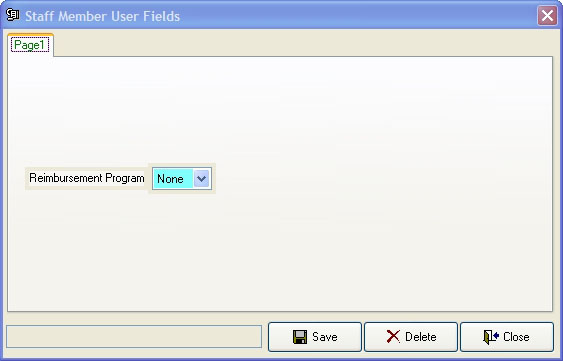
The Staff Member User Fields dialog box appears.
- From Reimbursement Program, select the value appropriate for your situation, and then click Save.
- Click Close.
-
Close the Staff dialog box.
Note: You are now ready to take your CFFJAC training.
- (When you complete your training) Continue with Enter an explanation for class hours.