Install the CFFJAC code set and export utility
Warning: Before beginning, verify that all FH users are logged out.
- (FH Enterprise) Verify that the user name and password for Remote Connection Configuration is for a SQL administrator account.
-
Log into FH as an administrator.
-
Choose Administration → Install New or Updated Components.
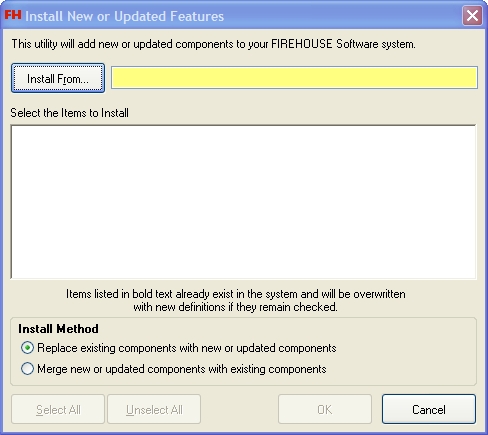
The Install New or Updated Features dialog box appears.
-
Click Install From.
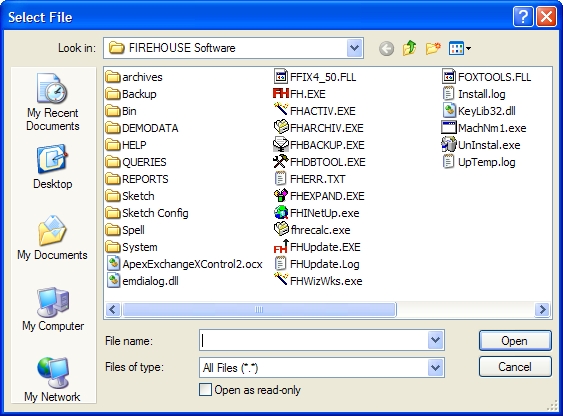
The Select File dialog box appears.
-
Use the dialog box to find and open the
CFFJAC09.FHzfile you saved to your hard drive.It may take a few moments for the Install New or Updated Features dialog box to list the items that will install.
Note: Wait until this window is filled with items to begin the installation.
-
Based on your earlier decision to merge or replace the existing components, under Install Method, select the appropriate option.
-
Click OK.
A series of dialog boxes and status bars displaying the progress of the installation appear and then close automatically. The installation process can take some time to complete, depending on your computer configuration and the number of codes included.
- Continue with Configure FH to work with CFFJAC.