Delete a service
-
Choose Start → Programs → FIREHOUSE Software CAD Monitor → FIREHOUSE Software CAD Monitor Service Manager.
The CAD Monitor Service Manager dialog box appears.
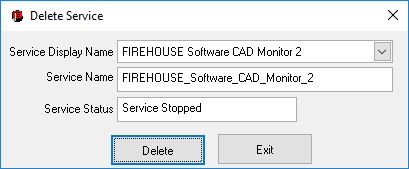
- From Service Display Name, select the name of the service you want to delete.
-
Choose Manage Services → Delete Service.
The Delete Service dialog box appears.
- From Service Display Name, select the name of the service you want to delete.
-
Click Delete.
The Delete Service confirmation dialog box appears.
- Click OK.
- In the Delete Service dialog box, click Exit.