Register FH Analytics
In the email you received with the link to download the FH Analytics installation package, a license key or trial key was also listed.
Note: If you are installing FH Analytics to explore it and do not have a trial key, skip the steps below and go to Request a trial key instead.
-
Choose Start → Programs → FH Analytics → FH Analytics.
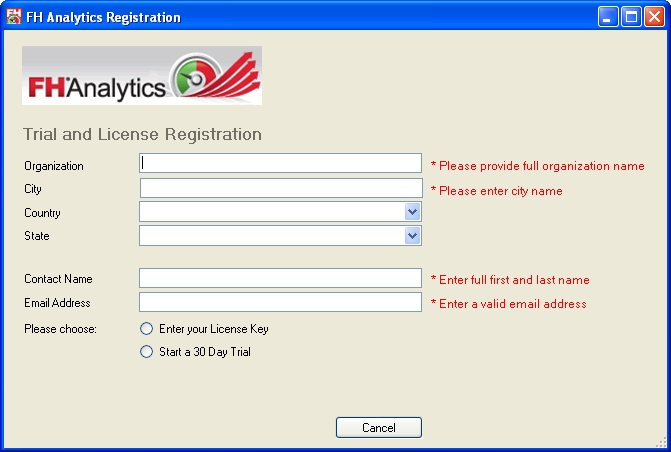
The FH Analytics Registration dialog box appears.
- In Organization, City, Contact Name, and Email Address, type the required information.
- (Optional) From State and Country, select the option describing your department's location.
-
For Please Choose, select Enter your License Key.
The Enter License Key field and the Submit button appear.
- In Enter License Key, type the license key included in the email you received.
-
Click Submit.
FH Analytics launches, using the purchased license key.